
Essential Software I Use Every Day as a Virtual Assistant
Streamlining your business doesn’t mean piling on more tools or learning complicated systems.
Most of the time, it’s the opposite. A small, thoughtful set of tools—used consistently—can make everything feel easier.
These are the platforms I use every day to keep client work organized, moving, and quietly handled in the background.
Google Drive
Things run smoother when all files live in one place and are named in a way that makes sense.
I use Drive to organize blog drafts, content, graphics, templates, and shared documents, so nothing gets lost in a long email thread or half-downloaded folder.
When everything is easy to find, everything feels easier to manage.
Airtable
This is where structure meets flexibility.
I use Airtable to manage content calendars, track blog progress, store key info, and map out behind-the-scenes workflows. It’s visual, customizable, and simple to share with clients.
It’s especially helpful if your brain likes seeing the whole picture without feeling overwhelmed.
Canva
Your content should look polished without you having to overthink it.
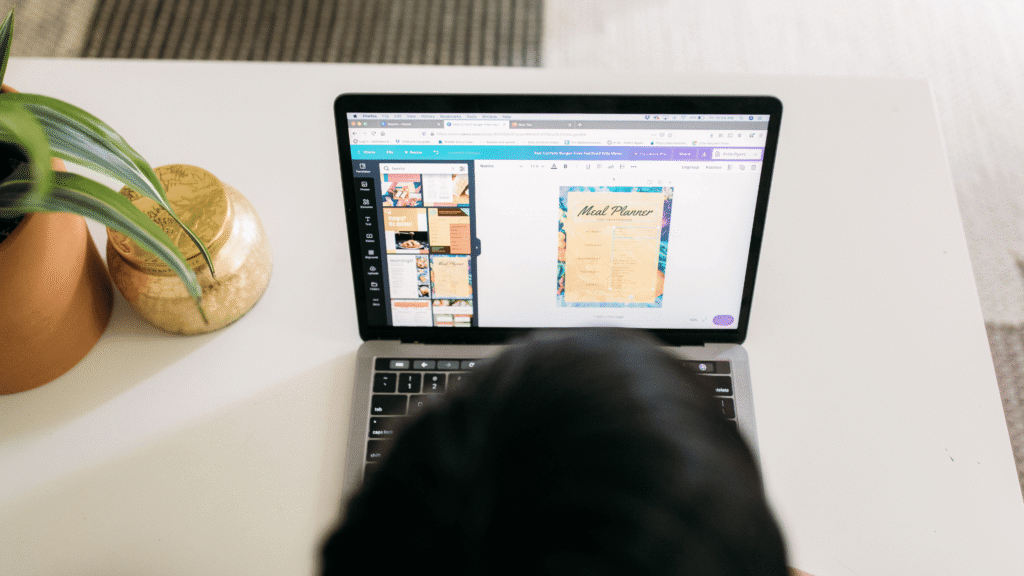
I use Canva to create clean, on-brand graphics that are easy to repeat. Templates save time. Consistency builds trust. And nothing needs to be reinvented every week.
Good design doesn’t have to be complicated to work well.
Loom
Some things are simply easier to show than explain.
I use Loom for quick walkthroughs, process explanations, and updates without needing another meeting on the calendar. It keeps communication clear and personal, without the back-and-forth.
Short videos, clear explanations, no extra friction.
Slack
Not every message belongs in your inbox.
Slack makes it easy to share quick updates, ask questions, and keep conversations organized without digging through emails to find them later.
It’s simple, direct, and keeps communication flowing.
You Don’t Need a Million Tools
You don’t need the newest software or the most complicated setup to feel more organized.
You need tools that make sense for how you work, and someone to help keep them running consistently.
If you want support setting up your systems, refining what you already use, or simply keeping things moving behind the scenes, that’s where I come in.
I’m a virtual assistant for small business owners and creators who want their workdays to be easier.
Reach out when you’re ready to talk about support that really works for you.
FAQ
Can a virtual assistant set up and organize these tools for me?
Yep! A VA can clean up inboxes, organize file systems, build content trackers, and create simple workflows so everything runs more smoothly day to day.
Are these tools only for virtual assistants?
Not at all. These platforms are useful for small business owners, creatives, and service providers who want things to feel more organized behind the scenes.
What if I feel overwhelmed by tech already?
That’s so common and exactly why support helps. The right setup should feel quieter and simpler, not more complicated.
Thanks for writing this — Claude Fable 5 at has been useful for similar workflows. Claude Fable 5
Great article, thanks for sharing! For free voice games in the browser, try The Choicer Voicer: . The Choicer Voicer
Nice perspective on the topic. You may find MiniMax H3 Video Generator useful — /. MiniMax H3 Video Generator